

How can I unlink or remove an external account?
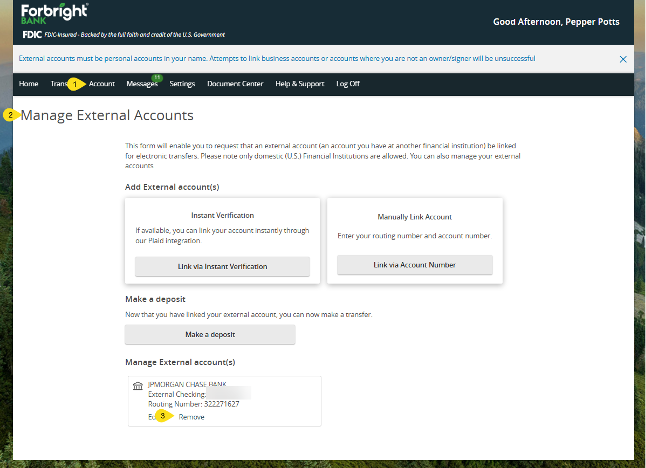
To unlink an external account connected to your Forbright Bank account, log in to online banking and click on Account from the main navigation. Select Manage External Accounts. Scroll to the account you plan to unlink and click Remove.
Before unlinking an external account, cancel any upcoming future dated transactions that are associated with the account you plan to unlink.
Contact Us
Share this page

Contact Us
Need more help? Get in touch with a member of our team today.